Two new places to make your mark
Hey everyone!
Since the last world update, I have been working on two new locations and the things that make a painting session easier to settle into. Downtown brings streets, courtyards, rooftops, and long walls to explore. Practice Yard gives new painters a place to get comfortable, and everyone else another spot to experiment.
Alongside them come ladders, easier travel, community events, a guided tutorial, and more control over how the game feels. Here is what you can try.
Take a walk through Downtown
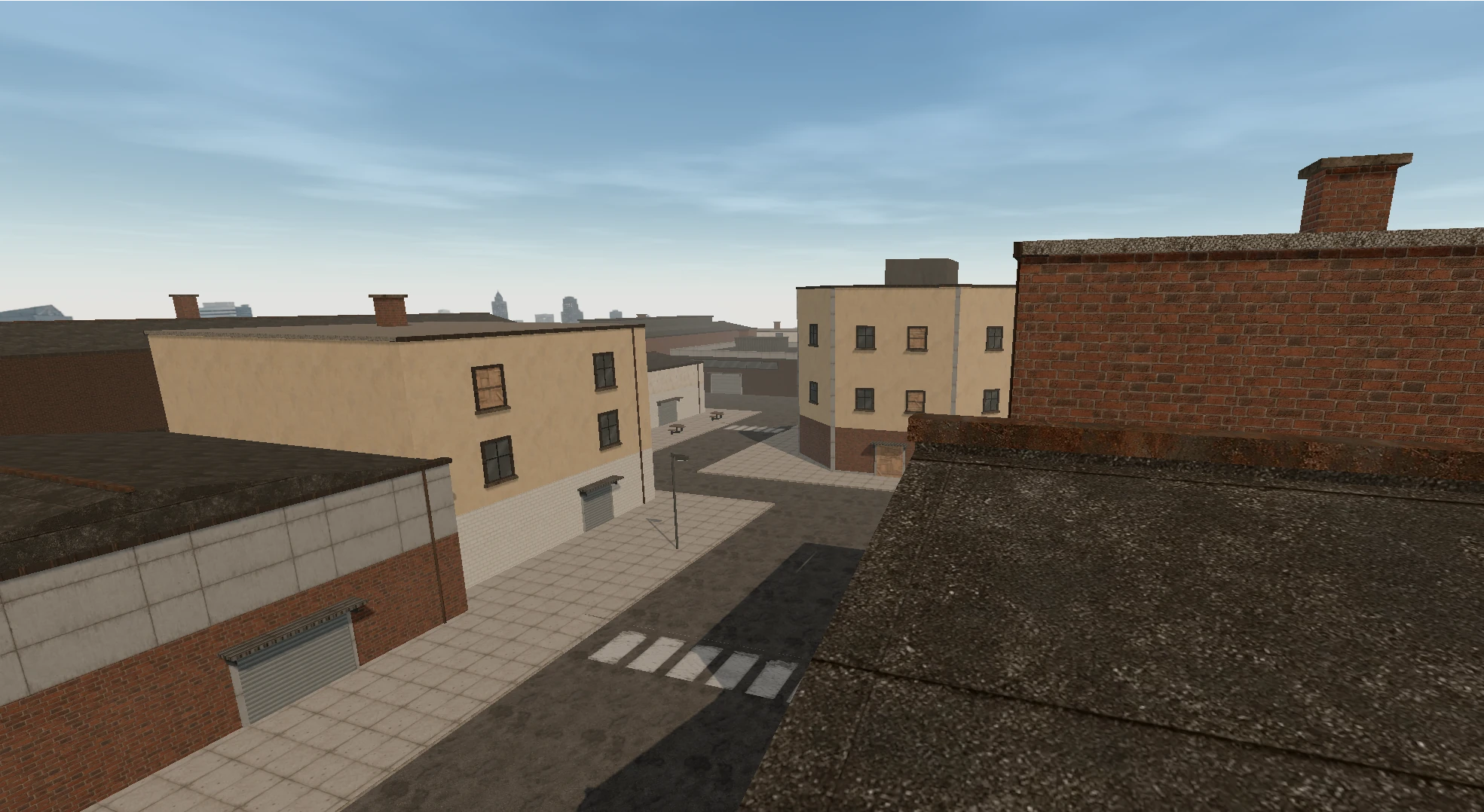
Head through the southeastern tunnel in Art District and you will arrive in Downtown. Follow the streets around the corner buildings to find a market square, workshop courtyards, and a foundry yard. There are long industrial walls for bigger pieces, smaller corners for a quick sketch, and paintable building fronts above street level.
Look up, too. Stairs and climbable drainpipes lead to rooftops and new viewpoints, with more walls to discover along the way. The exposed sides of stairs in both Downtown and the Factory are now paintable as well.
Downtown joins the connected world in public rooms, private rooms, and singleplayer, so you can explore it in the way you already like to paint.
Find your feet in Practice Yard
Practice Yard is a new court beside an underpass, connected to Art District through its western tunnel. Freestanding walls, sheltered painting spots, and a basketball court make it an easy place to try a cap, work on a letter, or get used to the controls. Everyone can visit and paint here.
New accounts begin with a short introduction: painting in other public locations unlocks after 10 accumulated active minutes in public rooms. You can paint in Practice Yard and explore the other locations from the start, and your progress carries across visits. Existing accounts do not need to repeat this introduction.
Signs around the yard introduce the community rules, painting etiquette, and how to photograph your work. Give nearby painters some space, and remember to capture a piece you want to keep before the shared wall changes.
Learn by painting
The new guided tutorial takes you through moving, looking around, choosing colors and caps, making your first mark, and taking a photo. It follows what you do and uses instructions suited to desktop or touch controls.
You can skip the walkthrough or restart it from the menu whenever you want a refresher. Extras now brings tools together with short introductions and help buttons, so it is easier to find out what each one does while you are painting.
Find a wall and get back to it
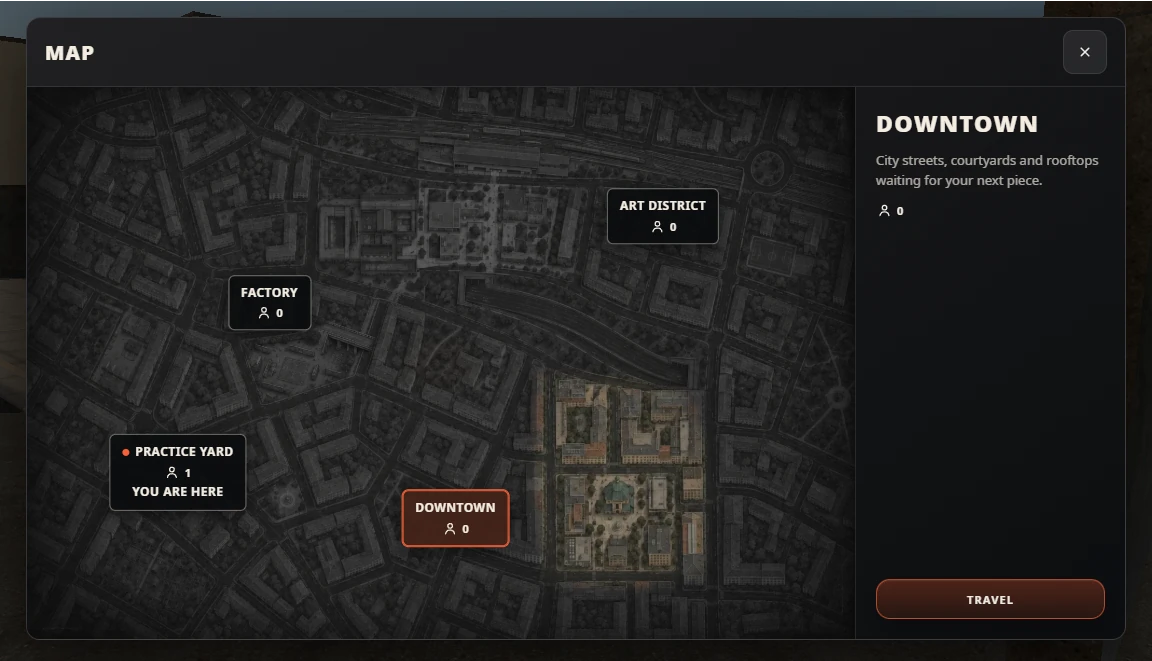
Open Extras → Map, or press M on desktop, for the illustrated city overview. Choose a location, see who is there, and select Travel to move straight to it within your current room.
Found a spot you want to return to? Saved Spot remembers your position and viewing direction, even if you head to another location in the room. You can keep one spot per room on the same browser and device. Save it before exploring, then return when you are ready to carry on.
Reach higher with a ladder
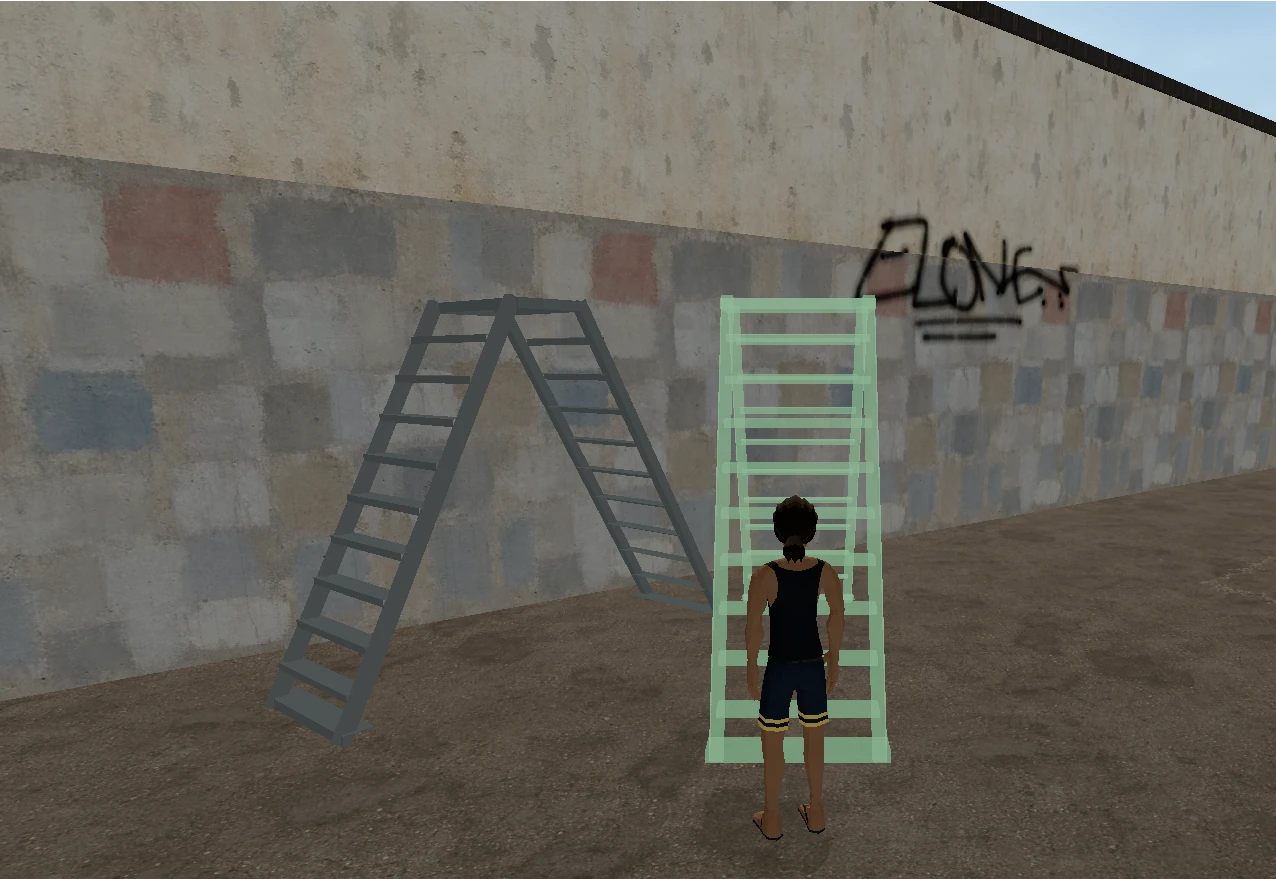
Portable ladders give you a better position for painting the upper parts of a wall. Open Ladder in Extras, find clear ground or a roof, rotate the preview, and place it. Move it as your piece grows, or pick it up when you are done.
You can have one ladder at a time. Only you can climb it, while other artists can walk and paint through it. It disappears when you disconnect or leave the location, keeping shared painting space open for everyone.
Make plans to paint together
The Events page now gives community collaborations a home. Browse the calendar, see what is live or coming up, and check an event's schedule and participation details before signing up. Events that run over several days are shown across the calendar.
Sign up before an event starts if you want to paint. You will receive a confirmation email, a message when it begins, and updates if its schedule changes. If your plans change, you can cancel before the start. Some events also let you leave an optional note for the organizers when signing up.
Depending on the event, you may also be able to visit as a spectator or return after painting has finished to explore the work and take photos. Each event explains the access available to you.
Make the controls feel right
On desktop, your cursor starts free so you can reach the painting controls. You can still move with WASD and hold the right mouse button to look around. Press Alt when you want to switch to FPS controls.
The new Settings panel lets you adjust look sensitivity, graphics and paint detail, and how much nearby paint loads. Sound now has separate volume controls for ambience, painting tools, and footsteps. Help beside each setting explains what it changes, and your preferences are remembered on this browser.
Phones and tablets also get more compact controls, better menu and map layouts, and a button to hide the painting interface when you want a clearer view of the wall.
Your name and the smaller fixes
You can now change your public username from your account, once every 30 days. Your sign-in username stays the same, so you can update the name other artists see without changing how you log in.
There are also a number of smaller improvements across a session:
- Regular spray caps give fuller coverage at higher pressure, alongside painting performance improvements.
- Movement and collision fixes make stairs, roof edges, and tight spots more reliable to navigate.
- Returning painters can start in different public-room locations, with the map ready whenever you want to choose another.
- Photo selection and paint inspection keep movement from getting in the way.
- Profile pictures and artwork images recover better from temporary loading failures.
- Registration gives clearer guidance about verifying your email.
Looking after the shared walls
I have also improved the moderation and reporting system to help keep painting and chat welcoming. The Community Rules are easier to find from inside the game, and account notices give clearer information when something affects your access.
Thank you to everyone sharing work, reporting problems, and supporting the project. Drop into the PAINTSESSIONS.COM Discord to share a new piece, find people to paint with, or let me know how the update feels.
See you at the wall. Peace!